
 By William
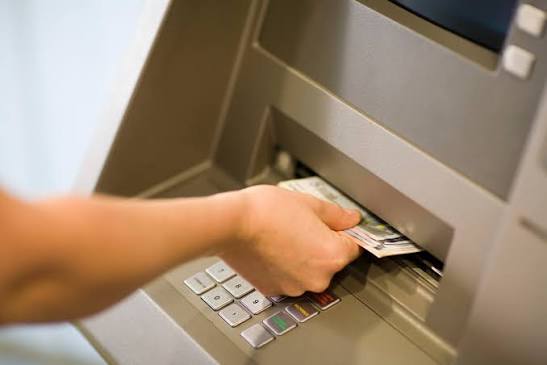
Setting up a new teller machine once meant days of phone calls. Mobile carriers had to be contacted one by one. Store owners needed to approve changes to their own internet. Today, a kiosk can arrive at the door with its connection already working. Operators can learn more about a ready-to-use router setup on the IDM Wireless retail page.
What Changed in Setup?
Routers now ship with their settings loaded before leaving the warehouse. The SIM card is active on arrival. An installer only connects the cable, then switches the unit on.
Who Gains from This Approach?
Several groups see real changes in their daily work. Each one saves time differently.
- Independent operators skip lengthy calls with multiple mobile carriers.
- Retailers avoid handing over their store WiFi passwords to strangers.
- Installers finish jobs faster before heading toward another location.
- Banks see fewer failed transactions during opening weeks.
- Event organizers place temporary kiosks at fairs or concerts quickly.

How Long Does Installation Take?
Many setups can now be finished within a single visit. Mounting the terminal often takes longer than connecting it. A test withdrawal confirms everything works before the installer leaves.
Remote Tools Support Every Install
Once online, the router reports to a web dashboard. Operators can check signal strength or restart the device without returning to the site.
Common Setup Mistakes Avoided
Preloaded routers remove many errors that slowed older installs. Operators who want to learn more about these safeguards can review the provider’s retail kiosk page.
- Wrong network settings are no longer entered manually by installers.
- Expired SIM cards get caught at the warehouse instead.
- Factory passwords receive fresh replacements well before shipping day.
- Mismatched carrier plans stop causing surprise charges each month.
- Antenna placement is decided while ordering rather than through guesswork.
What Operators Should Check First
Not every provider offers the same level of readiness. A few checks before signing can prevent problems later.
- Confirm mobile signal coverage on-site before signing any agreement.
- Ask whether routers include a second carrier for backup.
- Review monthly data plans to match expected transaction volume.
- Verify round-the-clock support exists for overnight outages.
- Request one short demo showing how monitoring dashboards work.
Old Versus New Setup
| Step | Traditional Install | Ready to Use Install |
| Carrier contract | Operator signs separately | Bundled with the router |
| Network settings | Entered by hand at the site | Loaded before shipping |
| Store involvement | Needed for internet hook-up | Not required |
| Typical site visits | Often more than one | Usually one |
| Troubleshooting | Phone calls plus repeat trips | Reset from a dashboard |
The biggest difference shows up in how many trips each method needs. Fewer visits mean lower labor costs for growing fleets.
Common Owner Questions
- Does the kiosk need my store’s internet? No, it runs on its own cellular router.
- What happens if the signal is weak? An outside antenna or second carrier usually fixes it.
- Will moving the terminal later cause trouble? It reconnects once switched on at the new spot.
- Who handles router software updates? The provider usually sends them remotely without a visit.
- Do installers need special training? Very little, since settings arrive already loaded.
Less Setup Hassle
Preloaded units remove much of the waiting that slowed new placements. Fleet managers save trips. Shops keep their WiFi private. Results still depend on routine checks after the machine goes live. Steady weekly monitoring matters more than a flawless first install.